
Guide to Elastic Deployment
Introduction
This comprehensive guide explains how to use YottaLabs’ Elastic Deployment feature to quickly and reliably deploy Qwen3-0.6B model as containerized services in a production environment.
1. Background
Yotta Labs is a one-stop platform for AI application development. This Elastic Deployment feature is specifically designed for low-latency, high-concurrency inference services, supporting:
Auto-scaling
Self-healing (Fault tolerance)
Multi-GPU scheduling
Unlike traditional static deployments, Elastic Deployment abstracts computing units (Workers) into stateless service instances that can be dynamically scaled.
2. Core Deployment Steps
Step 1: Preparation – API Key & Console Access
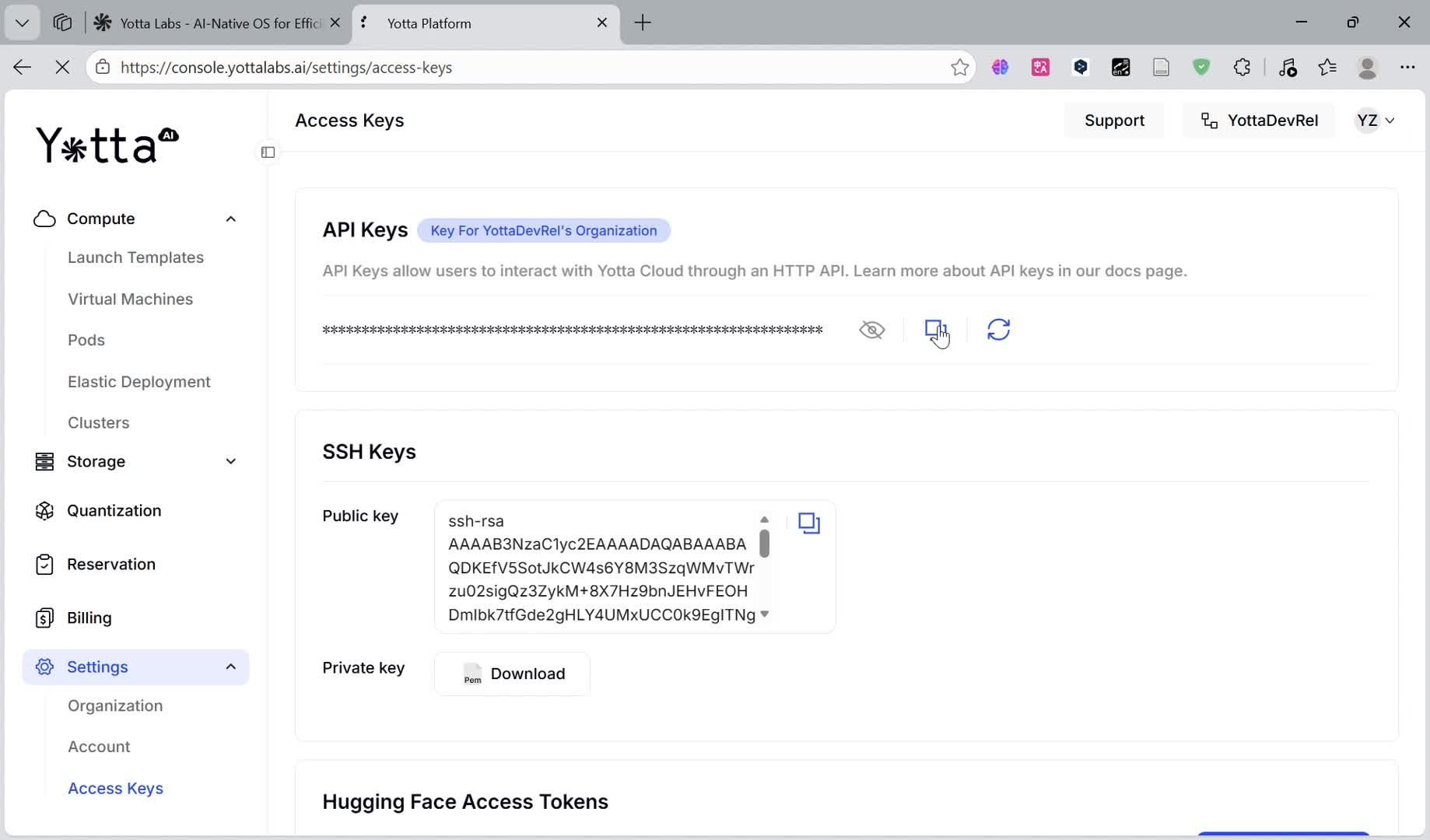
Before deploying, you must obtain your identity credentials:
Log in to the YottaLabs Console.
Navigate to Settings → Access Keys.
Generate and copy your API Key. This key is required for all automated operations and management interfaces.
Return to the main menu and click on Elastic Deployment to begin.
Step 2: Image Configuration – Public vs. Private Registries
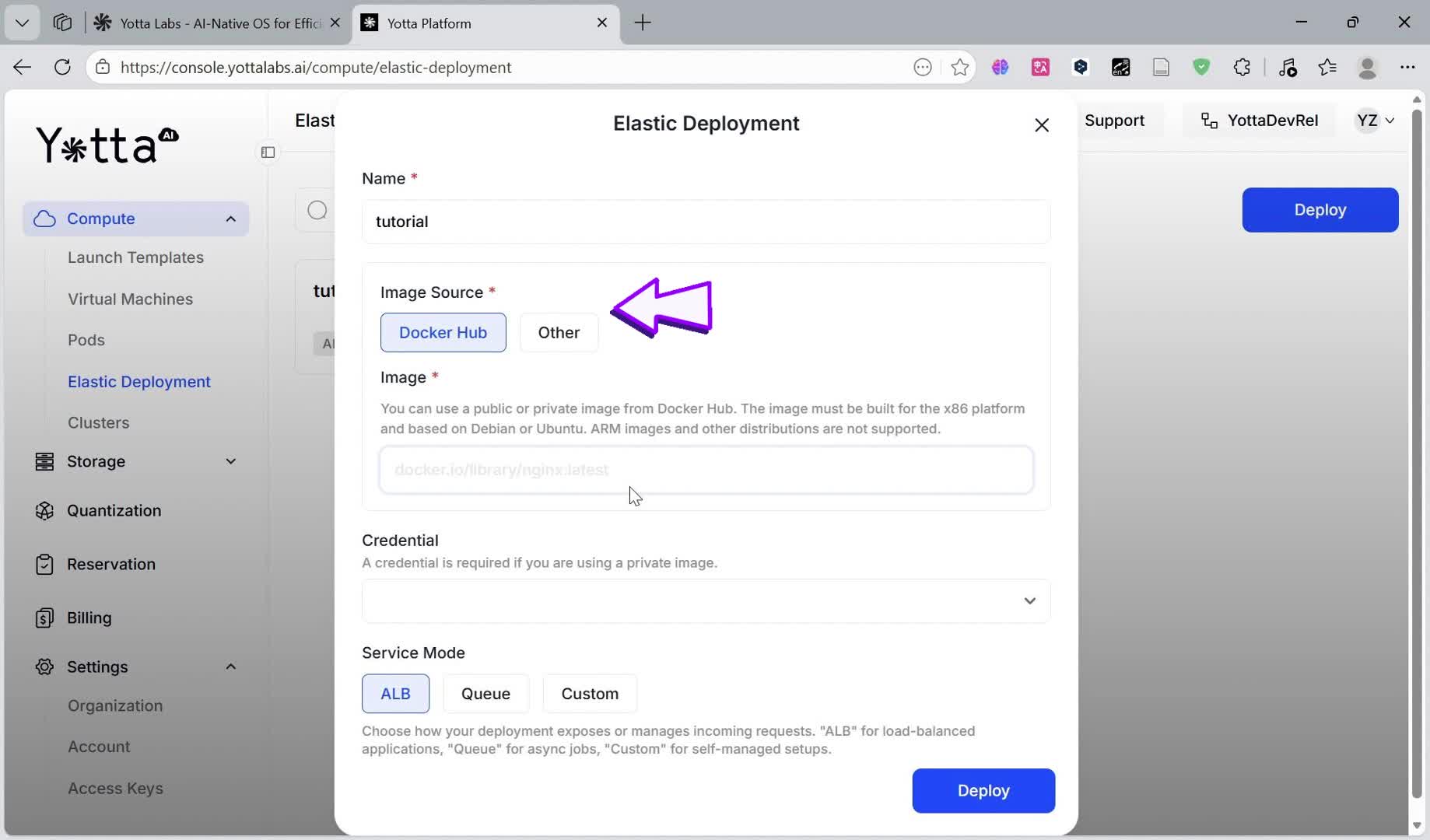
The image source is the foundation of your deployment. Yotta Labs supports two categories:
Docker Hub (Public): Simply provide the full image name, e.g.,
myorg/qwen-vllm:2.3.1-cu121.Other (Private): For private registries , you must provide the registry URL and valid Credentials.
Step 3: Service Modes & GPU Allocation
Choose modes that matches your business logic:
SERVICE MODE
BEST USE CASE
LOGIC
ALB
Web APIs / Chatbots
Automatically distributes traffic.
Queue
Batch Processing
Workers pull tasks from a queue; ideal for non-real-time tasks.
Custom
Advanced Integration
Opens raw ports for users with their own load balancers.
For more information here, see our official docs of service mode
GPU Selection:

You can specify the GPU Type (e.g. RTX 4090), GPU Count per worker (1–3), and VRAM requirements.
Step 4: Elastic Mechanism – Worker Lifecycle

Declarative Scaling: If you set the target to 2 Workers, YottaLabs ensures 2 Workers are always running.
Automatic Recovery: If a Worker crashes/is terminated accidentally, the system will automatically spins up a new instance within seconds.
3. Deployment and validation
Once the status changes to Running, YottaLabs generates a unique HTTPS URL. Copy the url provided in the box above.

Use a curl command to test the service, for example:
A successful response confirms that the VLLM inference engine, Tokenizer, and CUDA acceleration path are all functioning correctly.

Last updated
Was this helpful?